
Welcome to AstrologyOz
Apologies to all those who rely on this resource.. I have had major server issues which are now hopefully fully resolved.... after 4 months... I will be updating everything over the next week .... so thanks for your patience :)
|
|
|
World
News 2014
|

|
All your planetary data for 2014 is here now Planetary stations , Void of Course Moon , Moon phases and Planet Ingresses for 2014 plus Moon Planting Guide |

|
Jan - April 2014 Planting Guide
,
plus 2014 Moon phases,Planet Ingresses and retrogrades,
|
A guide to the 2025 Moon phases for decluttering your digital lifeDigital clutter gathers through forgotten apps, overflowing inboxes, duplicated photos, dormant subscriptions and quiet auto-renewals. A lunar calendar gives the cleanup a beginning, a build-up and a release point, turning a vague wish into a sequence that can be followed and completed. This guide treats the 2025 Moon phases as a symbolic planning tool, not a technical prediction. Australian life adds useful boundaries: public-transport commuting, mobile plans, crowded streaming services and privacy law all make it worthwhile to review what an app or sender may access. Dates below use AEST/AEDT, with daylight saving accounted for. Why a lunar rhythm helpsA digital reset needs a clear scope. Choose one system—email, photographs, phone apps, browser tabs or subscriptions—and give it a finishing line. The Moon supplies a recurring rhythm: begin in low visibility, act as light grows, release at maximum contrast, then make tidy-up decisions. Astrologically, a New Moon seeds an intention, a First Quarter Moon tests it through action, a Full Moon reveals the result, and a Last Quarter Moon separates what belongs from what does not. The sequence is adaptable: if a date passes, move the task to the next phase. Prepare your Australian baselineBefore the first Moon, spend twenty minutes making an inventory. List subscriptions, locate accounts holding irreplaceable records and check which authorised devices can reach your email. Carrier accounts, banking apps and password managers deserve special attention in Australia’s mobile-first routine, as do streaming apps used across televisions, tablets and phones. Legal housekeeping can complete the baseline. For organisations covered by the Privacy Act 1988, the Australian Privacy Principles guide transparency, collection, security, access and correction; the Spam Act 2003 generally requires consent and a functional unsubscribe route for commercial messages. For a ceremonial layer, Ritofrances ritual resources can complement the practical checklist. Your 2025 New and Full Moon mapUse these dates as working markers, not deadlines. They are shown for Australia in AEST/AEDT and reflect local date changes seen on many overseas calendars. Check a lunar ephemeris when the precise hour matters.
The sign adds flavour rather than permission: fire signs favour action, earth signs suit files and subscriptions, air signs help with labels and priorities, and water signs prompt attention to attachments. The First Quarter Moon falls about seven days after each New Moon; the Last Quarter Moon follows each Full Moon by about seven days. Build momentum during the waxing MoonFrom New Moon to First Quarter Moon, collect before you cut. Create a holding folder, export anything that might be needed later, and let the First Quarter Moon authorise the decisive edit. This prevents an anxious purge from creating fresh stress. At the First Quarter Moon, make one visible change: clear a notification, remove obsolete apps, organise downloads or switch off non-essential mobile data. On a Sydney train, Melbourne tram, Brisbane bus or Perth train, twenty focused minutes can be enough. A Void of Course Moon can signal review rather than the launch of a major system. Use the Full Moon to releaseThe Full Moon acts as an audit light. Reopen the category begun at the New Moon and ask what deserves space. Notifications, browser logins, shared albums and cloud links often reveal more than a storage chart. Delete, archive, close or share deliberately, then record what changed so the clutter does not return. Release includes boundaries as much as objects. AstrologyOz’s guide to Lilith in your chart explores what you refuse to restore: an old account, stale backup, over-sharing permission or a habit of keeping because something once mattered. A practical Australian cleanup routineAustralian app clutter often hides in telco extras from Telstra, Optus or Vodafone, streaming bundles from Netflix, Disney+, Paramount+ or Foxtel, and forgotten trials. Check the subscription list attached to your bank account, compare each charge with actual use, and cancel through the service’s renewal process rather than merely removing its icon. Connectivity changes what “backed up” means. Regional NBN households and travellers crossing mobile blackspots should keep an encrypted offline copy of irreplaceable files. After checking it, remove duplicate downloads and obsolete device backups. Apply these habits during the month:
Start your first clearing sessionChoose the next New Moon for your city, reserve thirty minutes, and name the one category you will address. Prepare passwords, a backup drive and secure paper disposal, then begin with an inventory rather than an impulsive deletion. Open your phone’s storage settings now, select one category, and complete one action: clear five downloads, silence one sender or remove one unused app. Make that visible result the first entry in your 2025 digital reset. |
|
|
|
Benedict
XVI resigns 2013
|

|
|
|
Election
2013- take 2
|

|
|
|
Turkey
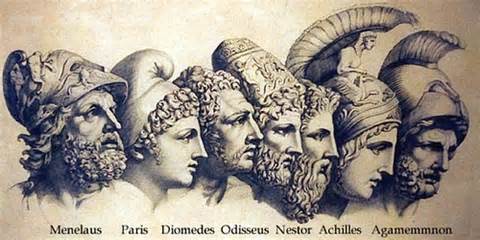
Unrest 2013
|
|
|
|
Election
2013
|

|
|
|
World
News 2013
|

|
|
|
Serialised
story of the greates ship of her time and
|

|
|
|
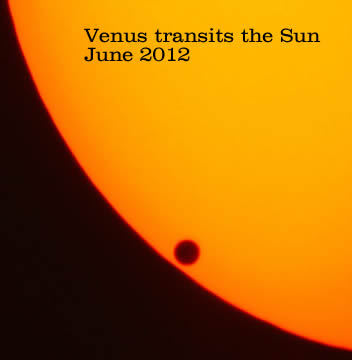
Venus
transits the Sun
|

|
For all your horoscopes, we recommend Ed Tamplin's excellent astrology site.

|
Astrology Oz is best viewed using firefox, screen resolution 1280x1024, macromedia flash enabled.
Firefox - the only browser that gives total control over web browsing, see what you want to see - download firefox

© AstrologyOz 2014
All articles and images on this site are subject to copyright and may not be copied, stored or modified in any way.
AstrologyOz - designed and maintained by Sherrynne Dalby